
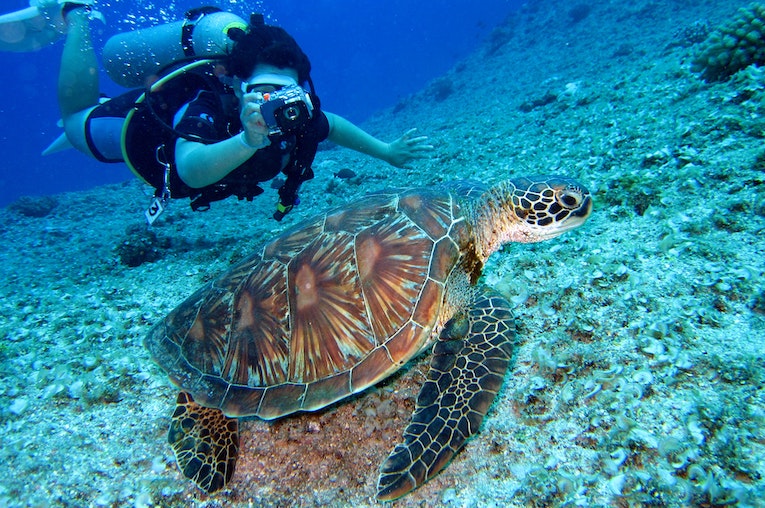
Whether you’re a surfer, swimmer, snorkeler, Sea-Doo-er, or just plain love the water, getting awesome underwater videos is the ultimate way to share your submersion quests. Of course, you need an underwater camera to do this, do you know what’s better? A waterproof camera that thrives in the depths. Enter GoPro.
GoPros are designed to get wet
Out of the box, GoPro action cameras, including the latest HERO11 Black and HERO11 Black Mini, are water resistant to 33 feet. This means you can hit the waves, snorkel, swim and even dive without any extra gear. Attach it with the Hand + Wrist Strap and dive into a beautiful lake, attach it to your surfboard with the Surfboard Camera Mount, or just take your GoPro underwater with The Handler, which is a part selfie stick, part flotation device and 100% Designed for water photography.
What are the best GoPro underwater camera accessories?
If you want to use your GoPro beyond the 33-foot mark, you can do that too. Just pick up a dive case + waterproof housing (HERO11, HERO10, HERO9) and you can take any camera up to 196 feet. This waterproof camera case also protects your GoPro from debris, so it’s ready when you’re out of the water and want to start your off-road adventure right away.
If depth isn’t your game but action-packed water sports like surfing are, then with the Floaty Floating Mount you can be sure you’ll never lose your GoPro in the water. Keeping your GoPro visible and afloat, this bright orange case adds padded protection and includes a tether point for added security. You can also buy it paired with a bite mount to start getting the best underwater POV shots.
What filters does underwater GoPros use?
Shooting underwater means shooting with less available light, which according to science means that the colors captured in photo or video content don’t always appear exactly the way you see them. GoPro underwater cameras can correct this problem in two ways. First, HERO11 Black uses advanced processing to automatically improve white balance and correct color.
However, if you’re going deeper than 33 feet, you may need a little extra help maintaining the correct color balance. That’s where the second option comes in: use the PolarPro DiveMaster filter kit. The kit contains three filters that you snap onto the GoPro Underwater Housing, one for blue water, one for green water, and one for shallow water. Using these filters will give you the vibrant underwater colors you need.
What are the best camera settings for shooting underwater?
It’s a good idea to adjust the presets and lock the screen before getting in the water. From there, you can point, shoot and let your GoPro do the rest.
You can watch the video above for some advice from GoPro family member Jake Rich on his recommended setup for underwater shots. When doing this, keep in mind that shutter speed and ISO depend on available light, so these are the easiest settings:
- Shutter Speed: Try a slower shutter speed to allow more light in
- White Balance: Native
- Minimum ISO: 400
- Maximum ISO: 800
- Sharpness: medium
Manage your footage like a pro with the GoPro Quik editing app
Don’t wait to preview and edit footage. Download the free Quik editing app to preview, edit and manage footage and manipulate your setups instantly.
